IS YOUR TUNE SAFE? YOUR LOG KNOWS.
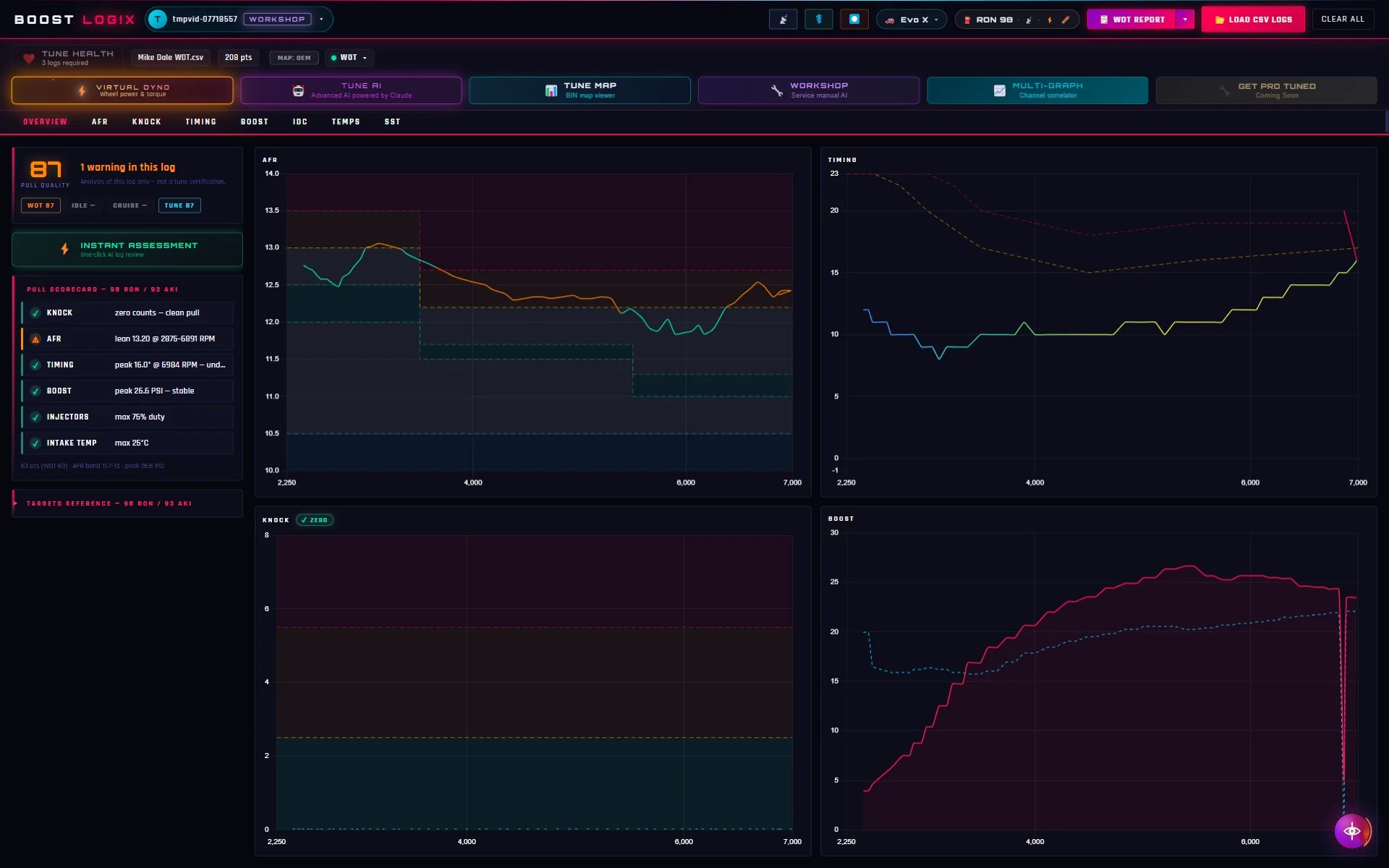
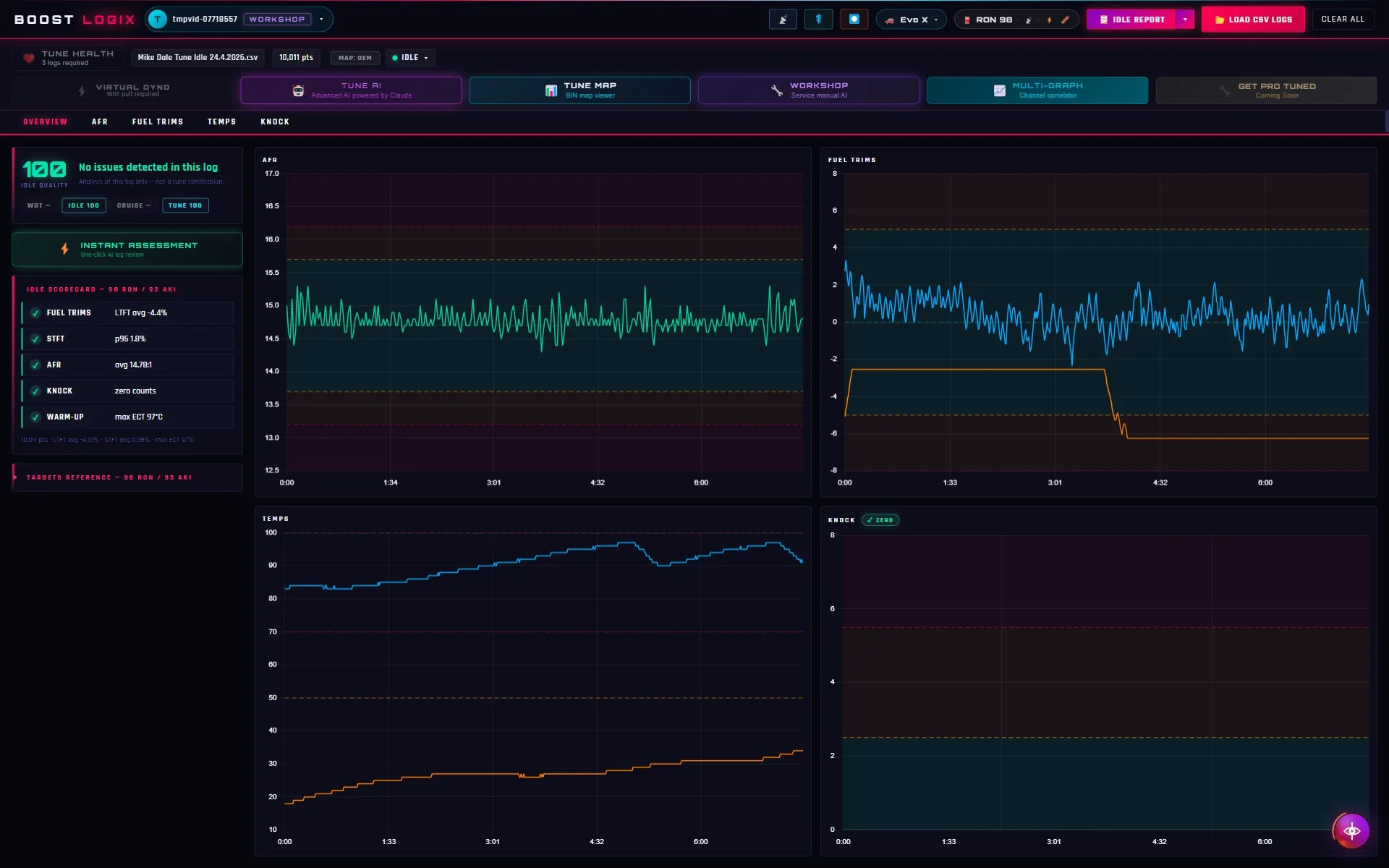
Drop in an EvoScan CSV and get a straight answer on knock, AFR, boost, timing and injector duty in under a minute. Free to start, no card.
Windows 10 / 11 (64-bit) • Digitally signed installer • No card needed
Getting Started
Three steps to a clear verdict.
From EvoScan export to a channel-by-channel read on the pull.
Record WOT, Idle, or Cruise logs in EvoScan and export as CSV.
Log type is auto-detected and the analysis configures itself to match.
See the affected channel, RPM range and severity. Open Tune AI when you need a second pass.
Inside Boost LogiX
One log. Four ways to read it.
Every tool works from the same EvoScan data, vehicle profile and fuel selection.
Included with Pro · Powered by Claude
Interrogate the log, not a generic prompt.
Tune AI receives the channels, vehicle, fuel and log type already loaded in Boost LogiX. Ask about a spike, a threshold or what to send your tuner.
- Answers identify the affected channel and RPM range
- Knock, AFR, injector duty, boost and timing stay in context
- Follow-up questions retain the current log analysis
Pro · Evo X and Lancer Ralliart
Wheel power and torque from a clean WOT pull.
A vehicle-specific road-load model for the GSR, MR and Ralliart. Results are SAE J1349 corrected and built for repeatable before-and-after comparison.
- Wheel kW and Nm with peak RPM
- Drivetrain, gearing, aero and rolling resistance modelled
- Logging rate, WOT span and gear quality checked first
Method: SAE J1349 · vehicle-specific final drive · TPS-gated WOT rows
Included with Pro →Pro · Beta
See where the log lands in the calibration.
Open a read-only ECU BIN beside the log and inspect the cells the car actually operated in. The calibration is never edited or written back.
- Fuel and timing tables shown as readable heat maps
- Logged operating points overlaid on the relevant cells
- Plain-English comparison between BIN values and log behaviour
Included with Pro · Powered by Claude
Technical reference without loading a log.
Ask a direct 4B11T, Evo X or Ralliart question from the dashboard when the job is broader than the current datalog.
- Torque specifications and service procedures
- Fault-code context, injector sizing and part references
- Separate from Tune AI, so log analysis stays focused
More of the Product
The rest of the analysis workspace.
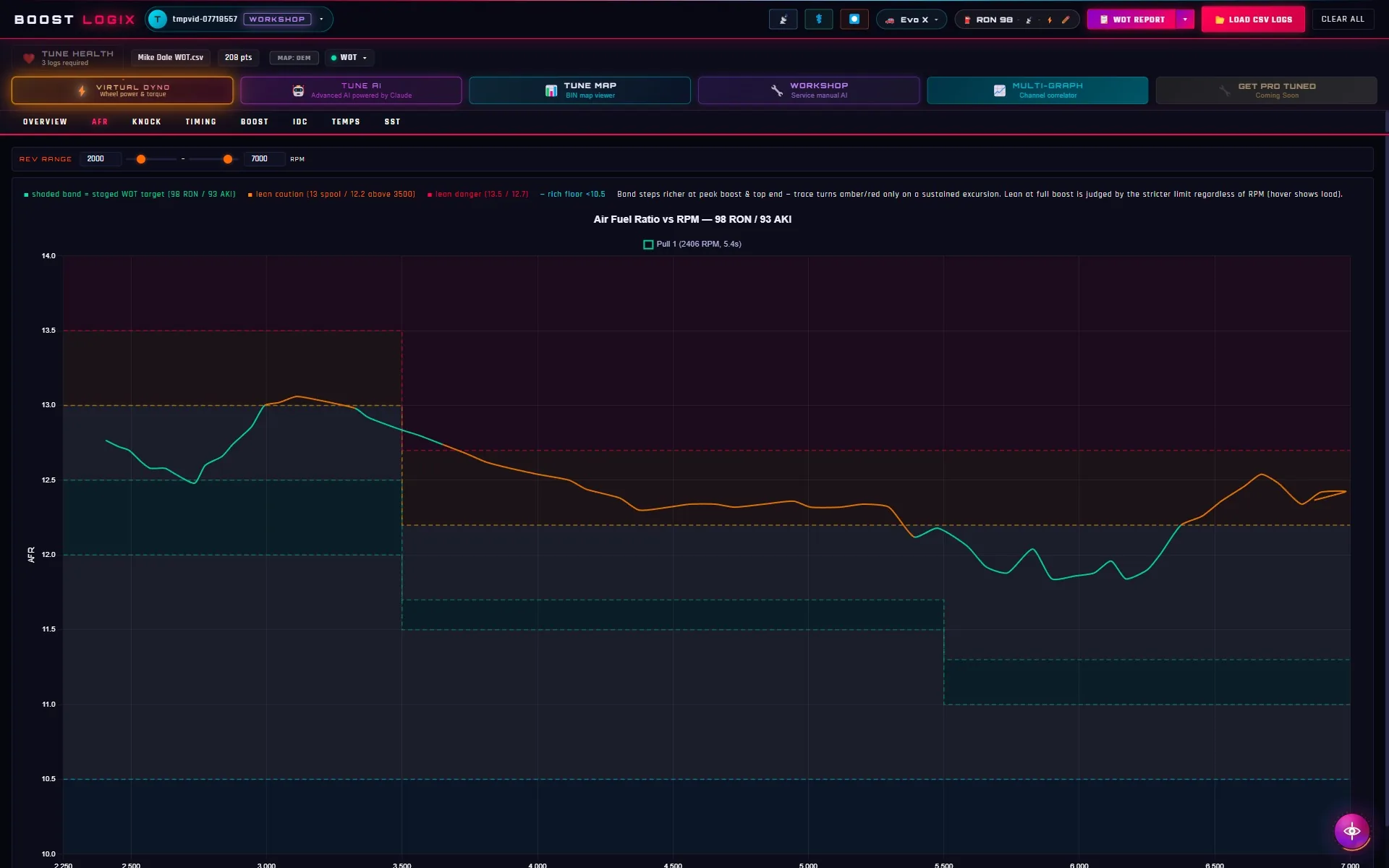
Screens captured from live EvoScan sessions.
Calibrated Thresholds
Fuel-Type Aware
Log-Type Specific
Physics-Accurate Dyno
Built and validated with real EvoScan logs from Evo X / Ralliart beta testers.
Start free, upgrade when ready →Product walkthroughs.
Short, task-specific guides recorded in the app. Pick one to watch it here. All videos on YouTube ↗
Pricing
Start free. Add the tools you need.
Start free. Pro unlocks the full toolkit with a 7-day free trial. Workshop adds client reporting for professional shops.
Free
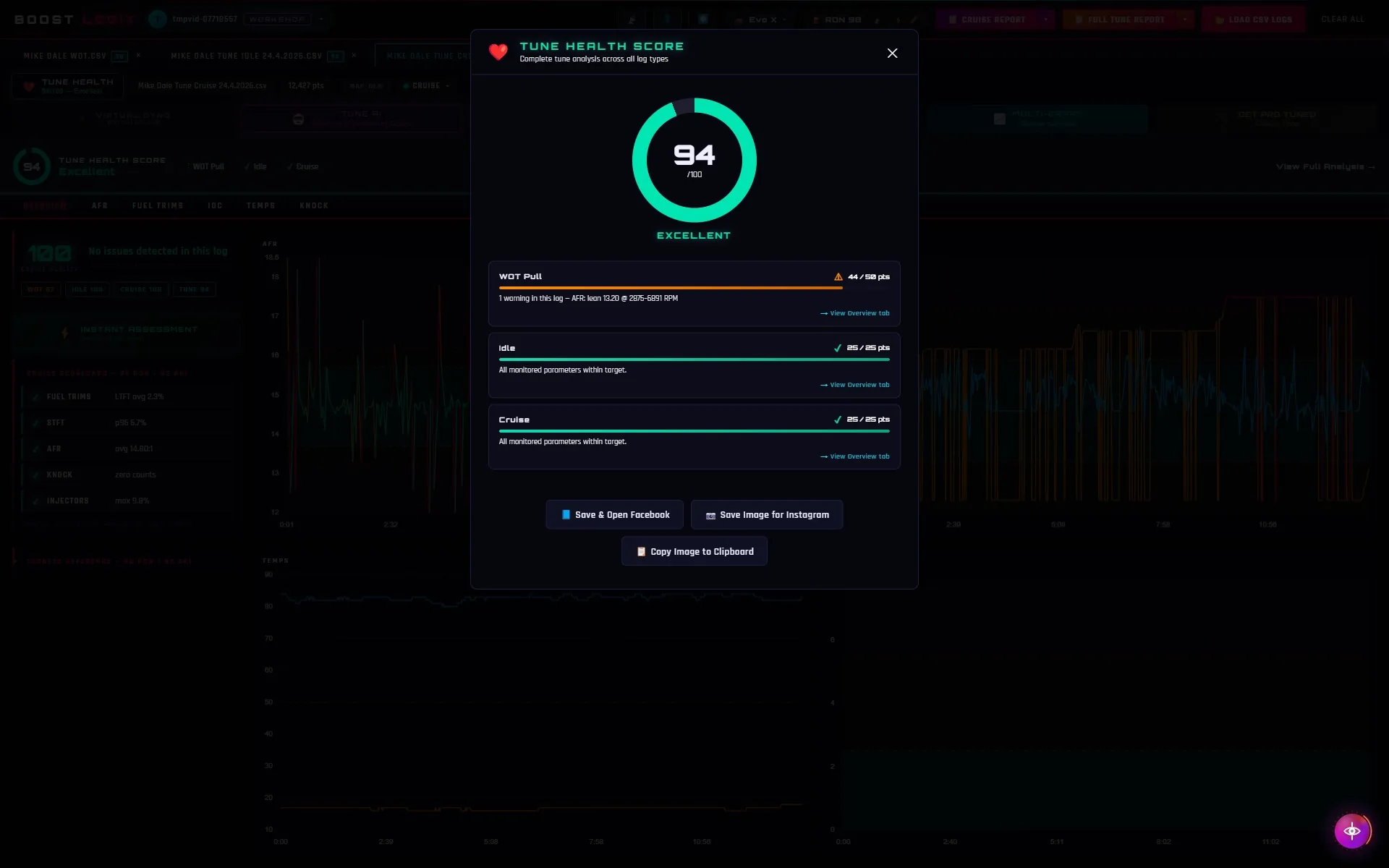
Unlimited logs + the Tune Health Score, a 0–100 read on your tune, at no cost.
- Overview dashboard, smart alerts, auto log detection
- WOT, Idle & Cruise logs all supported
- Log Doctor repairs broken CSVs automatically
- No detailed charts, exports, or AI
Windows 10 / 11 (64-bit)
Pro
The whole app in one subscription. Every tab, every export, Virtual Dyno, plus Tune AI and Workshop AI.
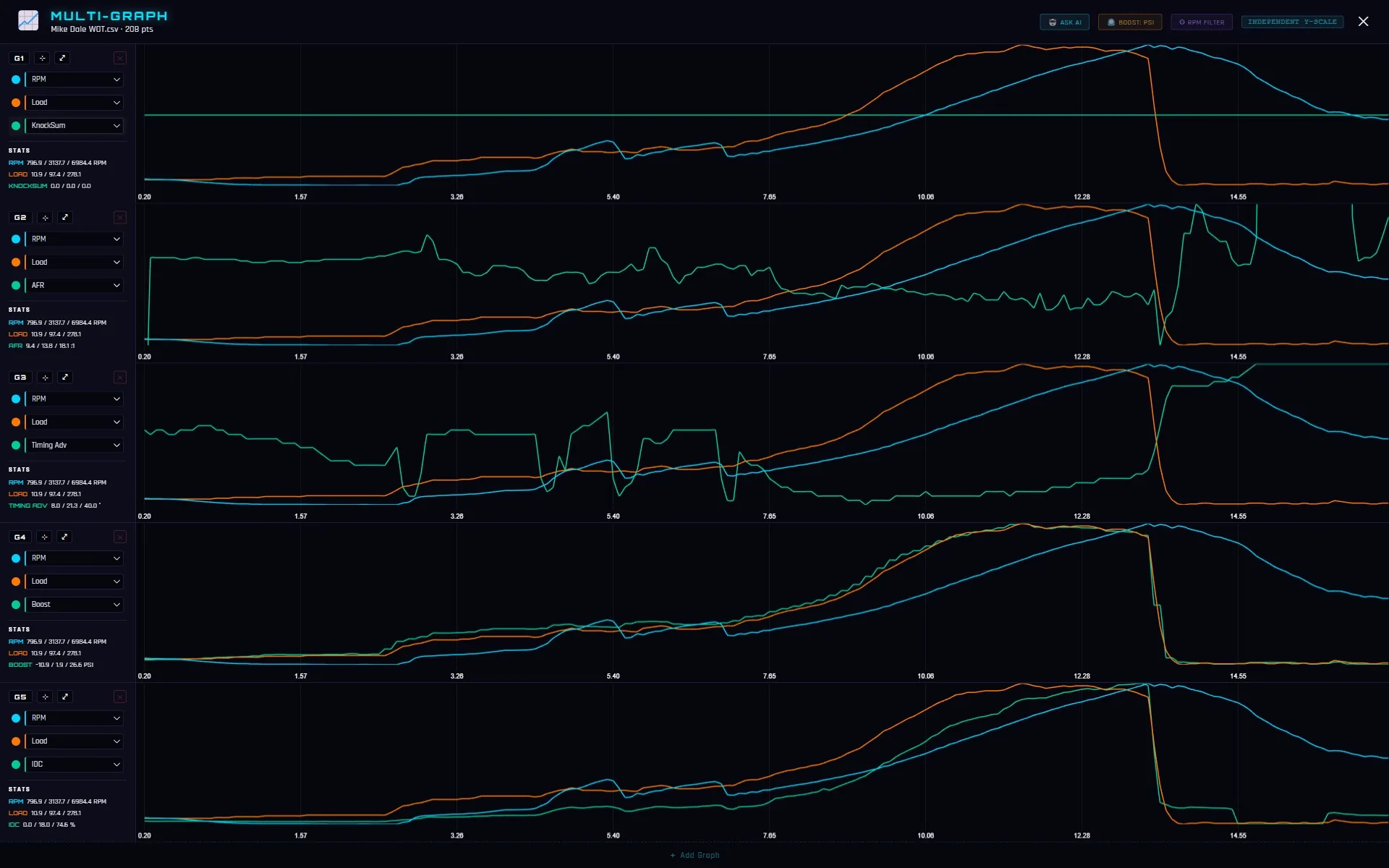
- All detailed charts + Multi-Graph View
- Full PDF + Combined Tune Report
- Virtual Dyno: wheel kW & Nm from your WOT log
- Live Log: real-time EvoScan capture as you drive
- Tune Map (Beta)
- Tune AI + Workshop AI built in, 50 queries/mo
Workshop
Built for professional tuning shops. Everything in Pro, plus white-label client reporting and a commercial-use licence.
- Everything in Pro, with 200 AI queries/month
- White-label client reports with your shop's branding
- AI-written customer summaries, reviewed by you before sending
- Job Book + Before/After tune reports
- Email reports straight to customers, up to 25/day
- Unlimited Garage cars + cloud backup · commercial-use licence
Your tune has a story. Read it.
Download Boost LogiX free. Analyse unlimited logs. The free tier needs no card and never expires.
Windows 10 / 11 (64-bit) · Requires EvoScan · Free plan forever · 30-day money-back on Pro
Help & Support
Does it run on Mac?
Not yet. Boost LogiX runs on Windows 10 and 11 (64-bit) only.
Do I need EvoScan?
Yes. Boost LogiX analyses the CSV logs EvoScan records from your Evo X or Lancer Ralliart.
Does Boost LogiX ever change my tune?
No, never. Boost LogiX is an analysis tool only. It reads the log files EvoScan has already saved and turns them into charts, health scores and reports. It never connects to your ECU, and it never edits, writes or creates a tune, ROM or calibration file; any tune or ROM file it opens (for example in Tune Map) is opened strictly read-only. There is no feature, setting or failure mode in which Boost LogiX modifies your tune or your car in any way. Everything it produces is informational reference data for you and your tuner; any change to your tune is a decision made by you, outside the app. See the terms for the full statement.
What does Log Doctor actually change?
Only the formatting of EvoScan log files, so they can be parsed. If a log won't load, Log Doctor repairs structural issues (text encoding, line endings, delimiters, junk lines before the header, and unrecognised column names) entirely on your PC, with nothing uploaded. It never rewrites a single logged data value, and a repaired log is saved as a new file, never over your original. Log Doctor works exclusively on log CSVs: it has nothing to do with your tune, ROM or ECU and cannot touch them.
Windows says “Windows protected your PC”: is something wrong?
That’s expected for a new signed app. SmartScreen is a reputation-based check that appears until an app is “recognised”. The installer is digitally signed, so the screen shows Publisher: Boost Logix, confirming it was published by us and hasn’t been altered since signing. Continue only if you downloaded it from boostlogix.app and the publisher reads “Boost Logix”: click More info, then Run anyway. If either isn’t right, don’t run it. Windows stops showing this on its own as more tuners install Boost LogiX.
How accurate is the Virtual Dyno?
Typically within ±5–10% of a hub dyno (±10–15% vs chassis). Results are SAE J1349-corrected estimates for reference use.
Can it capture logs live, or only analyse saved files?
Both. Pro's Live Log watches EvoScan while you drive. Tap the space bar to start and stop a capture, and every log EvoScan saves is imported and analysed automatically. Live Dyno does the same for power runs. You can also drop in any saved CSV, old or new.
How do updates work?
Boost LogiX updates itself. New versions download silently in the background and install when you restart the app. No manual downloads, and it never interrupts a session.
Is the AI a separate purchase?
No. Tune AI and Workshop AI are both included in Pro; there's no separate AI add-on. Pro comes with a monthly query allowance (50/month) shared across Tune AI and Workshop AI, resetting on the 1st (Workshop plan: 200/month).
Is Pro a one-time payment or a subscription?
Pro is a subscription: $12.99/mo or $99.99/yr (annual saves 36%). It starts with a 7-day free trial that takes a card, and you can cancel any time. Founding members (first 100) lock in $7.99/mo or $64.99/yr for the life of their subscription.
What's the Workshop plan?
Workshop is built for professional tuning shops: white-label client reports with AI-written customer summaries, Job Book, Before/After tune reports, email delivery of reports to your customers, unlimited Garage cars with cloud backup, and 200 AI queries/month. It's $25/mo or $199/yr (annual billing available), with no free trial and a 30-day money-back guarantee.
Is there a refund policy?
Pro starts with a 7-day free trial. The trial takes a card, and you are not charged if you cancel before day 7. After that it is backed by a 30-day money-back guarantee. Workshop has no trial but carries the same 30-day money-back guarantee from your first charge. See the refund policy and terms.